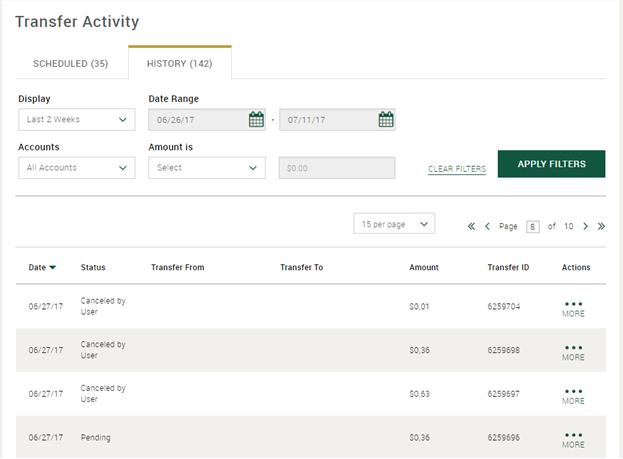
The "History" tab of the Transfers Activity page lists all completed, pending and failed transfers that have been initiated from Private Passport within the last 18 months.
Completed Transfers - the transfer has posted to the account.
Pending Transfers - the transfer has not yet posted to the account.
Failed Transfers - the transfer cannot be processes.
Canceled by User - the transfer has been canceled by the user.
Canceled by Northern Trust - Help Desk has cancelled the transfer.
When searching for specific transfers, you can select a date range, account or amount.
Set up transfers between Northern Trust accounts and to and from Northern Trust accounts and accounts at other financial institutions. See Set up for Schedule Now, Specify Date and Recurring Transfers.
You will automatically receive a system alert if a transfer fails, as well as when there is only one recurring transfer left. The email will go to your primary email address on My Profile & Preferences.
Modify future or recurring transfers. See View, Change or Delete Future or Recurring Transfers.
