|
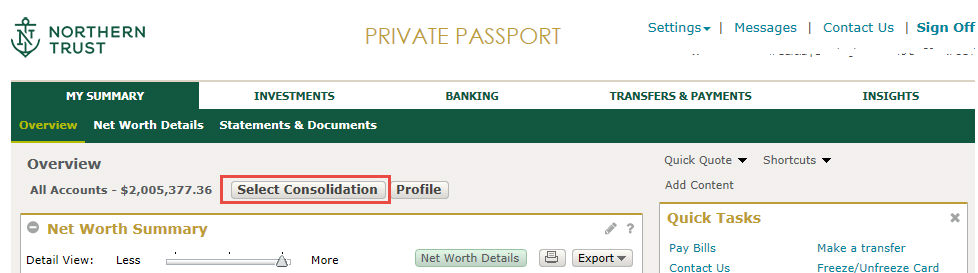
How do I select which account/consolidation I want to view?Most pages within Private Passport have an Account/Consolidation Selector that allows you to select an account or consolidation to view on that page. By default, the 'All Accounts' consolidation is selected on the Net Worth Summary and Net Worth Details pages. You may change the consolidation shown on net worth pages using the Account/Consolidation Selector. Select a new default consolidation for the net worth pages in the 'Account List Default' within My Profile and Preferences. By default, you must select an account or consolidation using the Account/Consolidation Selector each time you access the Investments or Banking pages. To avoid this step, choose the account or consolidation you would like shown by default in 'Default Selections' list within My Profile and Preferences.
Note: The Account/Consolidation Selector will automatically disable accounts or consolidations that cannot be selected for the current page. As an example, you may only select consolidations on Net Worth Summary and Net Worth Details pages. Pages without the Account/Consolidation Selector may display an Account/Consolidation filter instead. Any selection made in an Account/Consolidation filter will not carry over to subsequent pages or affect the account or consolidation selected using the Account/Consolidation Selector. The filter selection will only apply to the page where you made that selection.
|